
If your company runs on Microsoft 365, you probably remember the evening of 12 November. Emails stuck in the outbox. Teams calls that would not connect. An IT team refreshing the service health page, with nothing else they could do.
From the evening of 12 November 2026 (UTC) into 14 November, many companies around the world could not reliably send or read email in Outlook. Teams and Copilot were affected too. More than 130,000 problem reports were logged on Downdetector. Microsoft said it was not a cyberattack, and one analysis traced it to Exchange Online servers failing their health checks and dropping out, which overloaded the rest.
For most affected companies there was nothing to do but wait. That is the real lesson. When your email, files, chat and calendar all depend on one provider's platform, a fault you cannot see or fix stops your whole company.
This article covers what the outage showed, how companies running Nextcloud on infrastructure they control are set up differently, and how to add that resilience without replacing everything at once.
What the outage showed
One provider, one failure point. Email, meetings, chat and shared documents sat on the same platform. When Exchange Online struggled, people could not fall back to Teams, and when Teams struggled, they could not fall back to email.
No control over recovery. Administrators could watch the Microsoft 365 service health page (incidents EX1550543 and MO1550821) and post updates for staff. They could not restart anything, move users or route mail elsewhere.
Not knowing is part of the cost. For hours it was unclear what was broken, for whom, and for how long. Customer emails went unanswered and deadlines slipped.
None of this is unique to Microsoft. Any large cloud service has outages. The question is whether one outage can stop your company, and whether you can do anything about it.
How a Nextcloud setup is different
Nextcloud Hub gives you files, sharing, chat and video (Talk), calendar and contacts, and browser-based office editing, running on servers you choose. Nextcloud can have outages too. Three things make them different.
1. You control recovery
When your platform runs on your own servers, or with a hosting provider you chose in your region, your team or your partner can see what is wrong and fix it. They can restart a service, fail over to a second server or restore from backup. You are not waiting in a queue behind millions of other tenants.
2. Not everything fails together
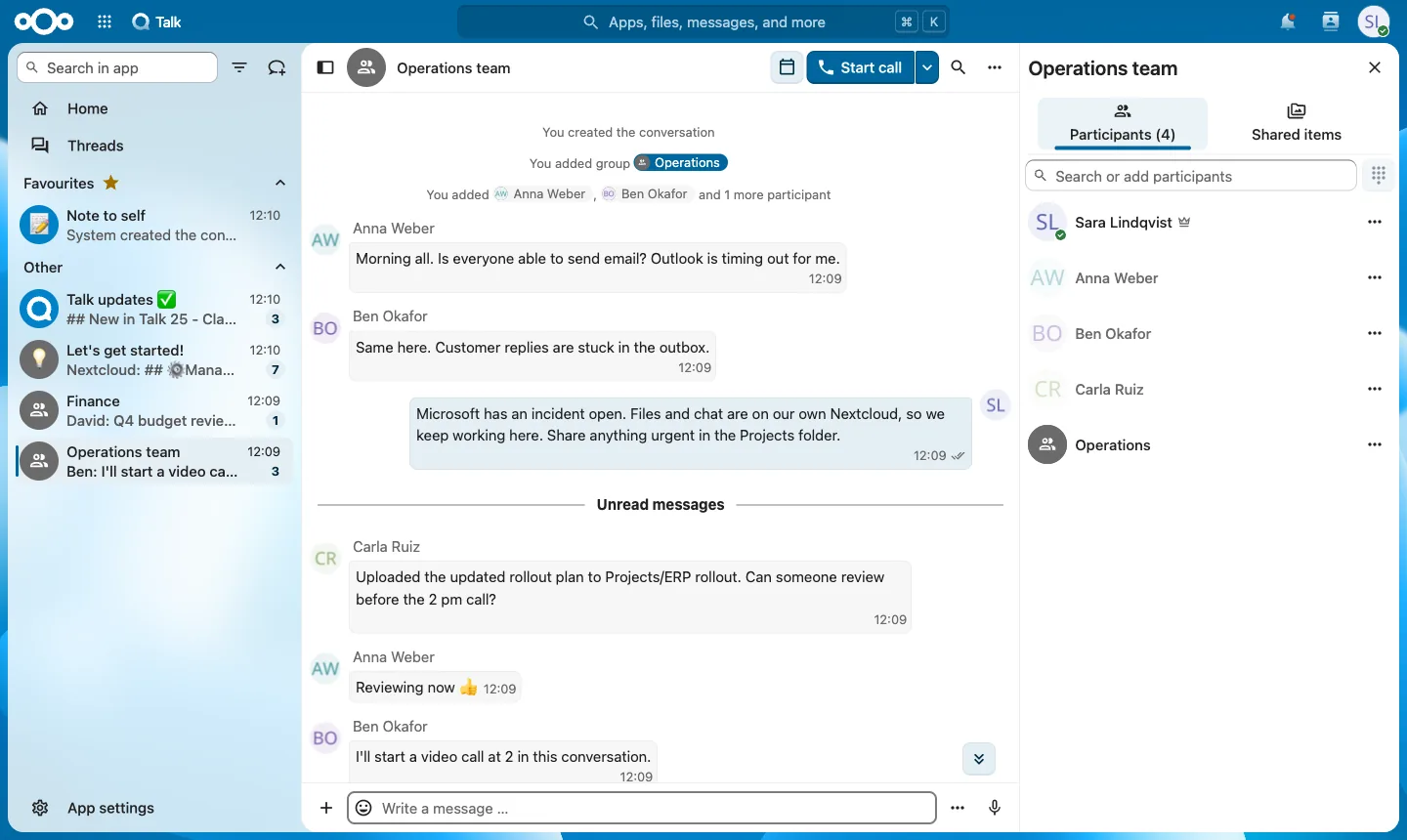 Nextcloud Talk on a demo server we set up: email is down, so the team moves the conversation to chat and keeps sharing files.
A sensible Nextcloud setup keeps the parts separate:
- files and chat on Nextcloud
- email on its own mail server or a European email provider
- identity in your own directory
If one part has a problem, the others keep working. People can still share files and message each other while email is restored, and the other way round.
3. You decide how much resilience to pay for
Your Nextcloud can run on one server for a small office, or on several servers in two data centres with a load balancer and database replication for a company that cannot afford downtime. The design follows your needs, not a shared global platform.
What Nextcloud Hub includes
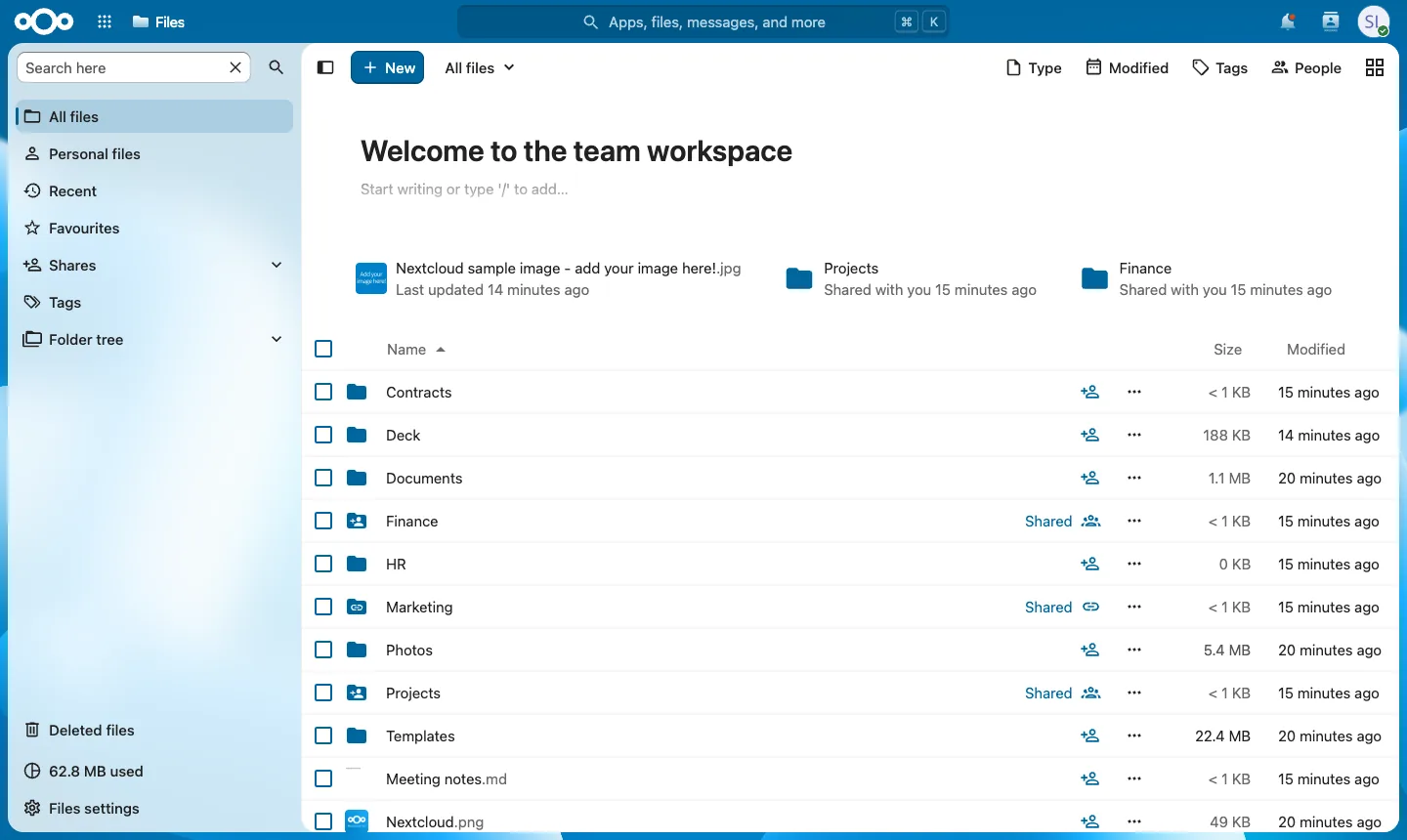 Files: team folders shared with groups and by link, synced to every laptop and phone. Demo data.
| Nextcloud app | What it does | Replaces in Microsoft 365 |
|---|---|---|
| Files | Store, sync and share files on desktop, mobile and web, with versioning, file locking and shared links with passwords and expiry dates | OneDrive, SharePoint document libraries |
| Office | Edit documents, spreadsheets and presentations together in the browser, in Microsoft formats, with Euro-Office, Collabora Online or ONLYOFFICE | Word, Excel and PowerPoint online |
| Talk | Chat, video calls, screen sharing and webinars, with mobile apps, plus federation with other Nextcloud servers | Teams chat and meetings |
| Groupware | Calendar, contacts and a mail client, with shared calendars and meeting scheduling | Outlook calendar and contacts |
| Deck and Tables | Kanban boards for team tasks, and simple shared databases | Planner, Lists |
| Forms | Surveys and forms with results kept on your own server | Forms |
| Flow | Automate file handling: tag, convert, move or block files based on rules | Parts of Power Automate |
| Nextcloud Assistant | Summaries, translation, drafting and transcription, with models you can run on your own servers | Parts of Copilot |
| Security and admin | Single sign-on (SAML, OpenID Connect, LDAP), two-factor login, server-side and end-to-end encryption, audit logs, brute-force protection | Entra ID integration, Purview basics |
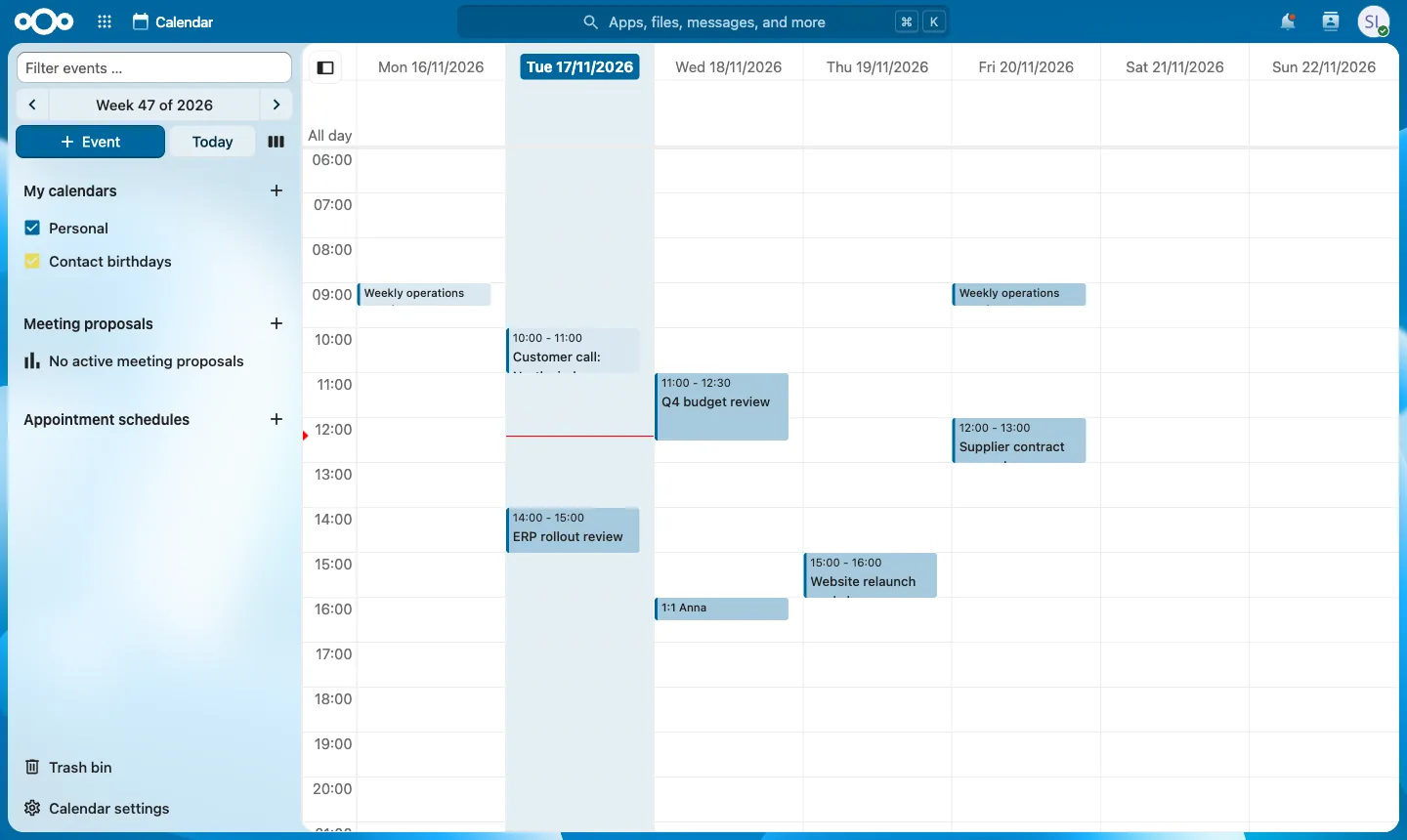 Calendar: shared calendars and meetings, synced with phones and desktop mail apps. Demo data.
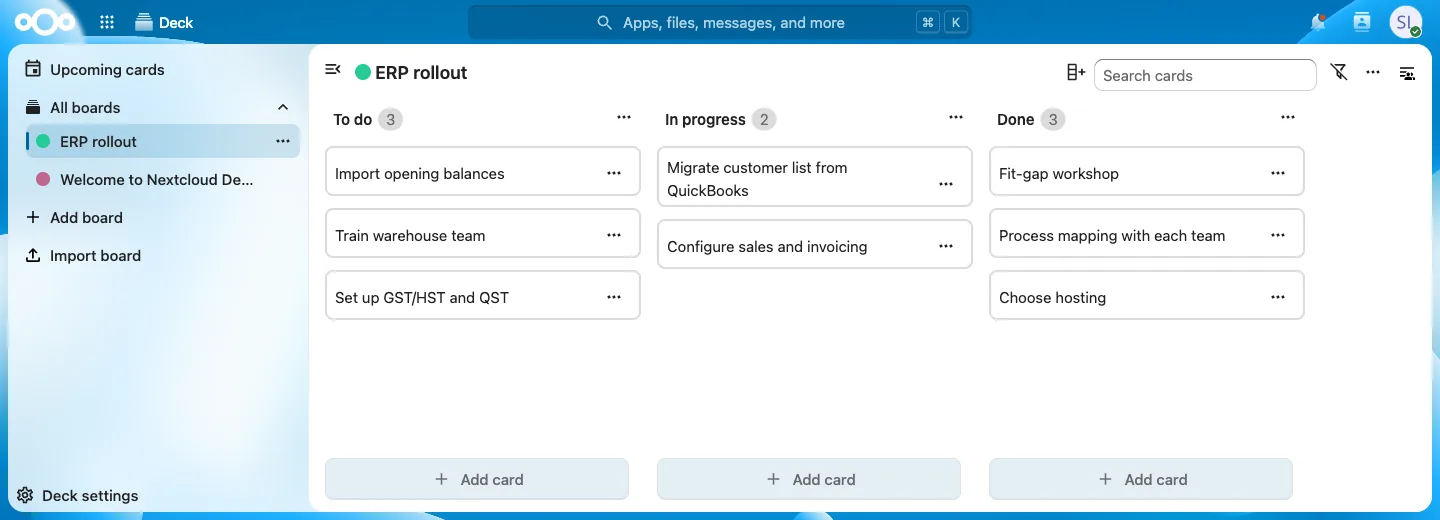 Deck: kanban boards for team tasks, linked to files and chat. Demo data.
For workflows that go beyond Flow, an automation platform such as n8n connects Nextcloud to your other business systems and can also run on your own servers.
And your data stays private
Resilience is half the story. The other half is who can reach your data.
- Your servers, your region. Files, chats and calendars live where you put them: your office, an EU data centre, or Canada. That makes GDPR and customer audits simpler.
- No US jurisdiction over your data when it is hosted by a European or Canadian provider, which removes the US CLOUD Act question that comes with US-owned cloud services.
- Encryption you control, including server-side encryption and, where you need it, end-to-end encrypted folders.
- Open source. The code is public and audited, and no licence change or price rise can lock you out of your own files.
You do not have to replace Microsoft 365 overnight
Many companies use an outage like this as a reason to start, not to switch everything in one weekend. Three practical paths:
1. A continuity layer. Run Nextcloud next to Microsoft 365, with files synced and Talk ready. When Microsoft 365 has a bad day, teams can still reach their documents and talk to each other. It is a small project and an easy first step.
2. Move files and chat first. Move OneDrive, SharePoint file shares and Teams chat to Nextcloud, and keep Exchange for now. This removes much of the dependency and much of the licence cost.
3. A full move. Files, chat, calendar, office and email move to Nextcloud and a European email provider, in waves, after a pilot with one team. Some specialist users keep a Microsoft licence where they need it.
Our guide to European alternatives to Microsoft 365 compares Nextcloud, openDesk, Euro-Office, Office EU, Proton and others if you want to see the wider options.
A checklist before the next outage
Whatever platform you use:
- Write down what stops the company if email, files or chat are down for a day.
- Have a second way to talk. It does not need to be expensive, but it must not depend on the same provider.
- Make sure the most important files are reachable outside your main platform.
- Know who decides and who tells staff and customers during an outage.
- Test it. Spend one afternoon working as if Microsoft 365 were down, and see what breaks.
Frequently asked questions
What caused the November 2026 Outlook outage? Microsoft said it was not a cyberattack. Reporting at the time pointed to Exchange Online servers failing health checks and dropping out of service, which overloaded the remaining servers. Check the Microsoft 365 admin center under incidents EX1550543 and MO1550821 for Microsoft's final post-incident report.
Would Nextcloud never go down? No system is immune. The difference is that a Nextcloud outage is limited to your own setup, you can see what is wrong, and your team or partner can fix it or fail over. A global provider incident does not take you down with everyone else.
Does Nextcloud replace Outlook? Nextcloud covers calendar and contacts and includes a mail client. You still need a mail server, either self-hosted or from a European email provider. Desktop Outlook can also connect to most of these mail servers.
Can we start without leaving Microsoft 365? Yes. A Nextcloud continuity layer next to Microsoft 365, or moving files and chat first, are both common starting points.
How long does a move to Nextcloud take? A company of 20 to 100 users typically needs 4 to 10 weeks from inventory to the last migration wave, depending on email volume and SharePoint complexity.
We plan and run moves from Microsoft 365 and Google Workspace to Nextcloud, and host and support Nextcloud in the EU or Canada. See Microsoft 365 to Nextcloud migration, managed Nextcloud hosting or Nextcloud services.